
Add The Compendium to Your Apple iDevice
Publish Date: Monday, 25 March, 2024
To add the Compendium to your Apple iDevice, follow the steps below. (Note: the images below may differ from the actual images displayed on your iDevice)
1. Open the Compendium in Safari on your iDevice using this link: https://www.repelec.com.au/publications/compendium/index.html
2. Tap the Actions button at the bottom of the screen

3. Tap Add to Home Screen
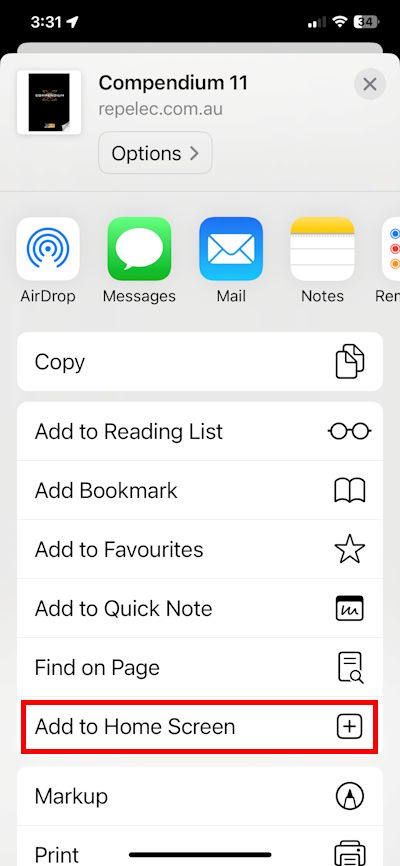
4. Tap Add
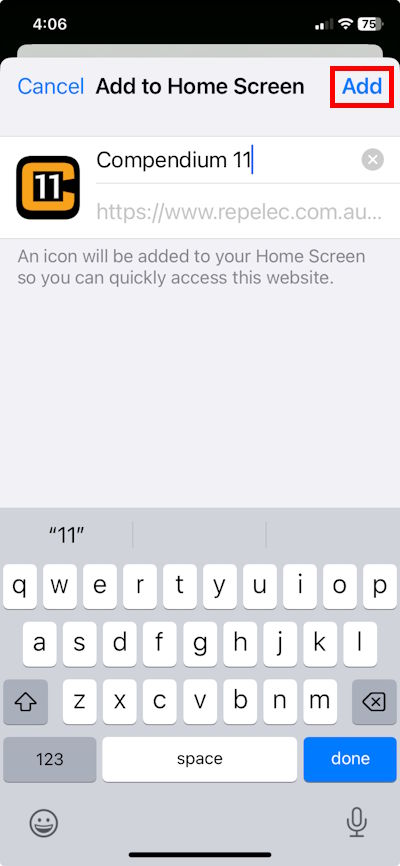
The Compendium will now be available from your iDevice's home screen.